Comics on a big e-ink screen
A standard comic page is a full-bleed 10 inch canvas, which is why the usual advice for reading comics digitally is to buy a tablet. On a 6 inch e-reader that advice is right. On the large e-ink devices it stops being right: a Kindle Scribe, a Kobo Elipsa or a reMarkable has the room to show a whole page at a size you can actually read, with the e-ink comfort that made you want a reader in the first place.
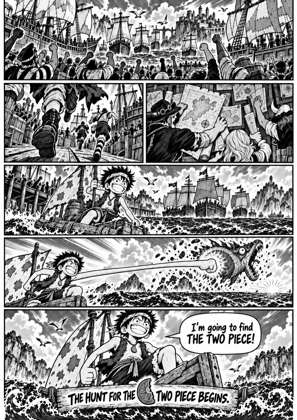
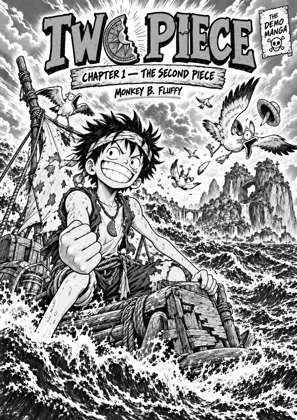
↑ Upload and configure in our Studio
What stands in the way is the file. Comics arrive as CBZ or CBR archives, which those devices do not open, and a raw scan built for print is far larger than any e-ink screen can use. This converts the archive into a file the device opens, with every page rebuilt for its exact screen. Across the last 90 days, CBZ and CBR together were 48.6% of everything uploaded here, so this is the format most of our users are already bringing.
- Files auto-delete after 24 hours
- No install, runs in any browser
- Free to use
- The genuine open-source KCC engine
How to convert a run for a big e-ink reader
Drop the issues in
CBZ, CBR, CB7, ZIP, RAR, 7Z and PDF all work, up to 20 files at once, so a short run goes through in one pass rather than issue by issue.
Pick your large-screen device
Kindle Scribe and Colorsoft, Kobo Elipsa and Sage, reMarkable 1, 2 and Paper Pro all have real profiles. Each one builds pages for that panel rather than for a generic e-reader.
Give the run its series
Look the series up and, when it is found, the record comes back from Metron or the Grand Comics Database™: series name, publisher, credits and cover. The issue number is read from each filename, so a run named consistently keeps its series and numbering and stays in reading order on the device instead of sorting alphabetically.
Check the preview, then convert
The live preview renders real pages at the device size before you commit, which is the moment to confirm a dense double-page spread is still legible.
The screen is the whole decision
Page size drives everything about reading comics on e-ink. A Scribe or an Elipsa shows a full page; a compact reader shows a page you squint at or a page split into panels. Pick the device first, and the conversion settings follow from it.
Attribution where it is required
Comic records from the Grand Comics Database™ (https://www.comics.org/) are used under a Creative Commons Attribution-ShareAlike licence, which requires crediting the database by name wherever its data appears.
Frequently asked questions
Is a 6 inch Kindle really too small for comics?
For a typical American comic page, yes, and we would rather say so. The art is drawn for a 10 inch page and shrinking it to 6 inches makes dense panels and lettering hard work. Manga survives the trip far better because it is drawn smaller to begin with. If a 6 inch reader is what you own, Panel View splits pages into panels, which helps a great deal.
Can I convert my Marvel Unlimited or DC issues?
No. Those are DRM-locked and stay inside their own apps, and nothing here removes DRM. This is for comics you hold as files: DRM-free bundles, publisher direct downloads and your own scans.
Which output format for a comic?
EPUB for a Kindle or Kobo, and PDF for a reMarkable, which handles PDFs properly. CBZ output is there if you want the processed images to keep rather than a book file.
Will colour comics work on a greyscale screen?
They convert cleanly, and the greyscale pass is tuned for e-ink rather than a naive desaturation, but a colour book on a greyscale panel is still a colour book you are reading in grey. Kindle Colorsoft, Kobo Libra Colour and the reMarkable Paper Pro keep the colour if that matters to you.
How do I keep a long run in order?
With issue-level metadata. Series name plus issue number is what the device sorts on, so a run with those fields filled reads in sequence, while a run of bare filenames sorts however the filenames happen to sort. The series comes from the lookup; the issue number comes from your filename, so name the files consistently before you drop them in.
Conversion runs on Kindle Comic Converter (KCC), the open-source engine, hosted here with a live preview so there is nothing to install. Comic records come from Metron and the Grand Comics Database™ (https://www.comics.org/), whose data is used under a Creative Commons Attribution-ShareAlike licence.
Free, no install, pages built for the big screens